I applied DLSS 5 to my Miku Hatsune game of choice, and I have some regrets
Overview & Key Takeaways
Welcome to anime Hell.
For the time being, DLSS 5 is only officially available via Nvidia's 50-series cards. The company has said in the past the neural rendering tech will eventually come to 40-series cards too, but I simply couldn't wait. Having now witnessed multiple passes of the upscaling tech applied to my anime-style game of choice, I have some regrets.
To be clear, the only way to get DLSS 5 working with my Nvidia RTX 4070 Super is through completely unofficial means. You can scour the internet for the files you need, though there are some software options that automate the process.
For this unholy experiment, I used DLSS 5 Manager and went to town with its adjustable 'Live Flow' function.
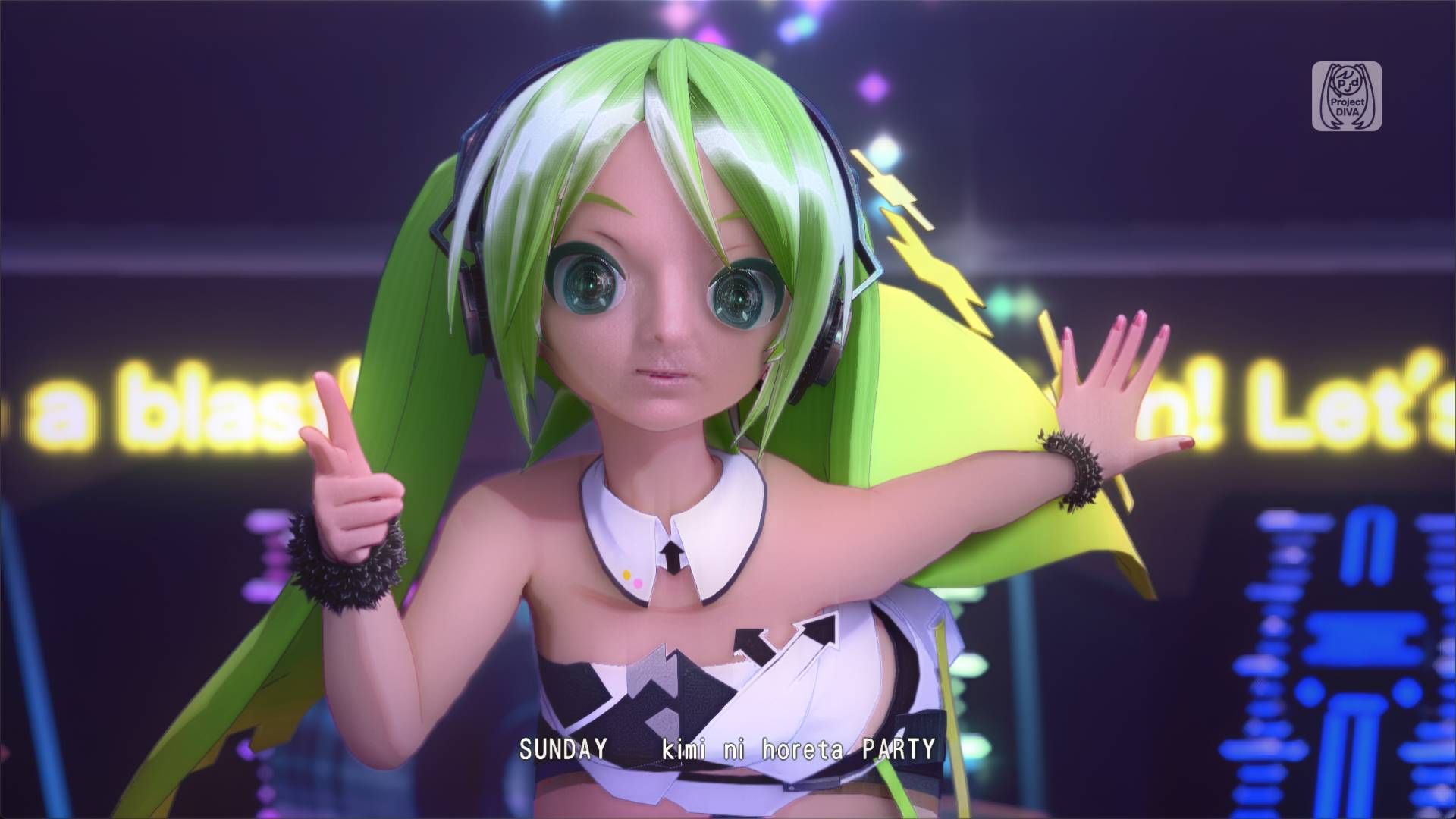
My game of choice for this unsanctioned exercise is Hatsune Miku: Project Diva Mega Mix+. This game has an anime-adjacent art style that DLSS 5 has no business upscaling, but I'm not letting that stop me. Before finagling a way to apply DLSS 5 to this game, it ran at a fairly solid 60 fps (though that's a best case scenario largely dependent on which song you're playing—if you're a Project Diva sicko, you know what I mean).
With Live Flow active, my frame rate tanked to the point that pressing timed button prompts became almost impossible.
Thankfully, Project Diva lets you watch all of its music videos without the rhythm mechanics getting in the way to remind you that you've got no sense of timing to begin with. From the main in-game menu I selected 'Custom Playlists,' composed a music video running order, and then headed off to the deepest pits of neural rendering Hell.
Oh, I have such sights to show you. Take a look at some of my comparisons below.
Hatsune Miku: Project Diva Mega Mix+ DLSS 5 mod comparison
Best graphics card 2026