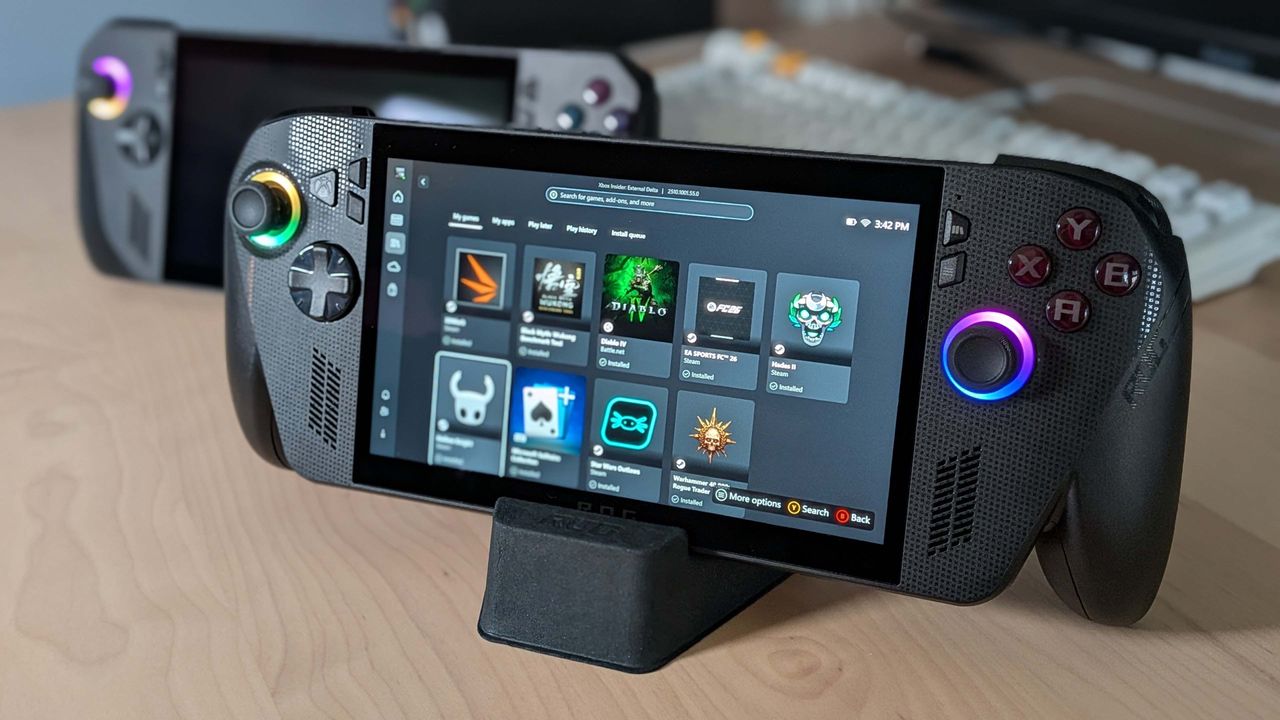
ROG Xbox Ally X owners can now choose between AMD's FSR upscaler or Microsoft's NPU-powered Auto SR for better performance, though only for docked gaming
Overview & Key Takeaways
How long before all desktop PCs with NPUs can use it is what I want to know.
With the vast majority of handheld gaming PCs using an AMD chip to handle graphics duties, users have been mostly limited to using FSR upscaling to give frame rates a healthy bump. However, with its latest update, the Asus ROG Xbox Ally X now offers Microsoft's Auto SR as a different option, and this upscaler is powered by the processor's NPU.
You know what an NPU or neural processing unit is, right? It's that thing inside some processors that seldom gets used for anything. Don't get me wrong, it's a neat bit of hardware that's great for handling AI models without using masses of power, but hardly any applications require one to be present.
But with the Auto SR Preview feature in the new Asus ROG Xbox Ally X update, that's no longer the case, because Microsoft's upscaler doesn't run on the GPU inside the AMD Ryzen Z2 Extreme that powers the handheld PC. Instead, it's all done on the chip's NPU.
Microsoft explains why this is a good thing in a short blog about AutoSR: "When super resolution [upscaling] runs on the GPU, it counts towards frame time. To avoid impacting FPS, models are limited to a minuscule 1–2ms, constraining their size and quality. Game-integrated super resolution fits in this window and still delivers quality by relying on the game to provide more detailed texture data.
"Auto SR sidesteps this limit by running larger models on the NPU in parallel with the GPU. This gives Auto SR an entire extra frame of time to run the model—critical for devices like the ROG Xbox Ally X, that couldn’t otherwise run these models without significantly impacting FPS."
Now, it's important to note that Microsoft isn't saying that Xbox Ally X users should abandon using AMD's shader-based FSR in favour of Auto SR. Quite the opposite, in fact: "Game-integrated super resolution remains the preferred choice. Auto SR steps in where game-integrated super resolution isn’t available or when hardware constraints prevent it from simultaneously delivering quality and FPS."
Auto SR vs. Native 1440p — Forza Horizon 5 Benchmark (Ultra) - YouTube
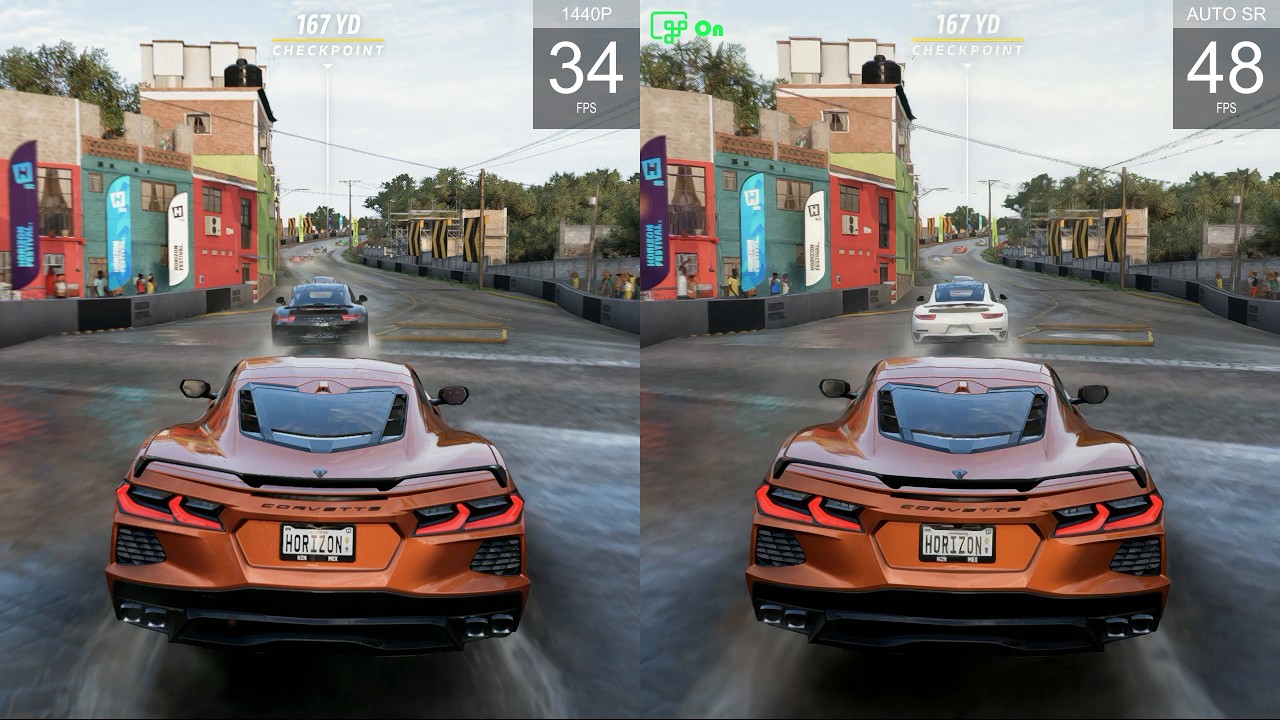
In other words, a game that has been developed to use FSR natively is likely to produce better results than what Microsoft's automatic upscaler can achieve, but if that's not an option in the game, then Auto SR comes to the rescue. Well, sort of.
Keep up to date with the most important stories and the best deals, as picked by the PC Gamer team.
The system only works when the Xbox Ally X is docked and connected to an external display. The latter isn't a requirement; it's just that the only reason why you'd game on a docked handheld is to max out the power limit, so you can get the best frame rate on a big screen. But this does mean that you're still going to be using FSR, or AMD's driver-based RSR, when using the device in handheld mode.
That suggests the NPU has to work pretty hard to do Microsoft's upscaler, and even though it's designed to operate in low power conditions, the combination of the CPU, GPU, and NPU's power consumption probably isn't great for unplugged battery life.
You can't use Auto SR when gaming on your Xbox Ally X like this (Image credit: Future)
And unfortunately, even with the update for Asus' handheld, getting Auto SR onto your Xbox Al…no, I'm not writing that silly name out again. Getting Auto SR onto your XAX is somewhat of a faff. You need to enrol in Xbox Insider to begin with, go through all the required updates in Windows, open the Xbox Game Bar to check that Auto SR is available, and install the latest Auto SR package from the Microsoft Store.
Let's hope that's all a lot simpler and easier to do once it's out of preview. Anyway, my take on all of this is that Auto SR will be a nice extra to have on laptops, once it's rolled out for more devices. And when desktop PCs with Intel Core Ultra chips, for example, get added to that pile, it might be a great way to finally make use of that NPU, while giving your graphics card a bit more breathing space to render your favourite games.
Best handheld PC 2026